Face Search Engine Explained: How It Works & Uses
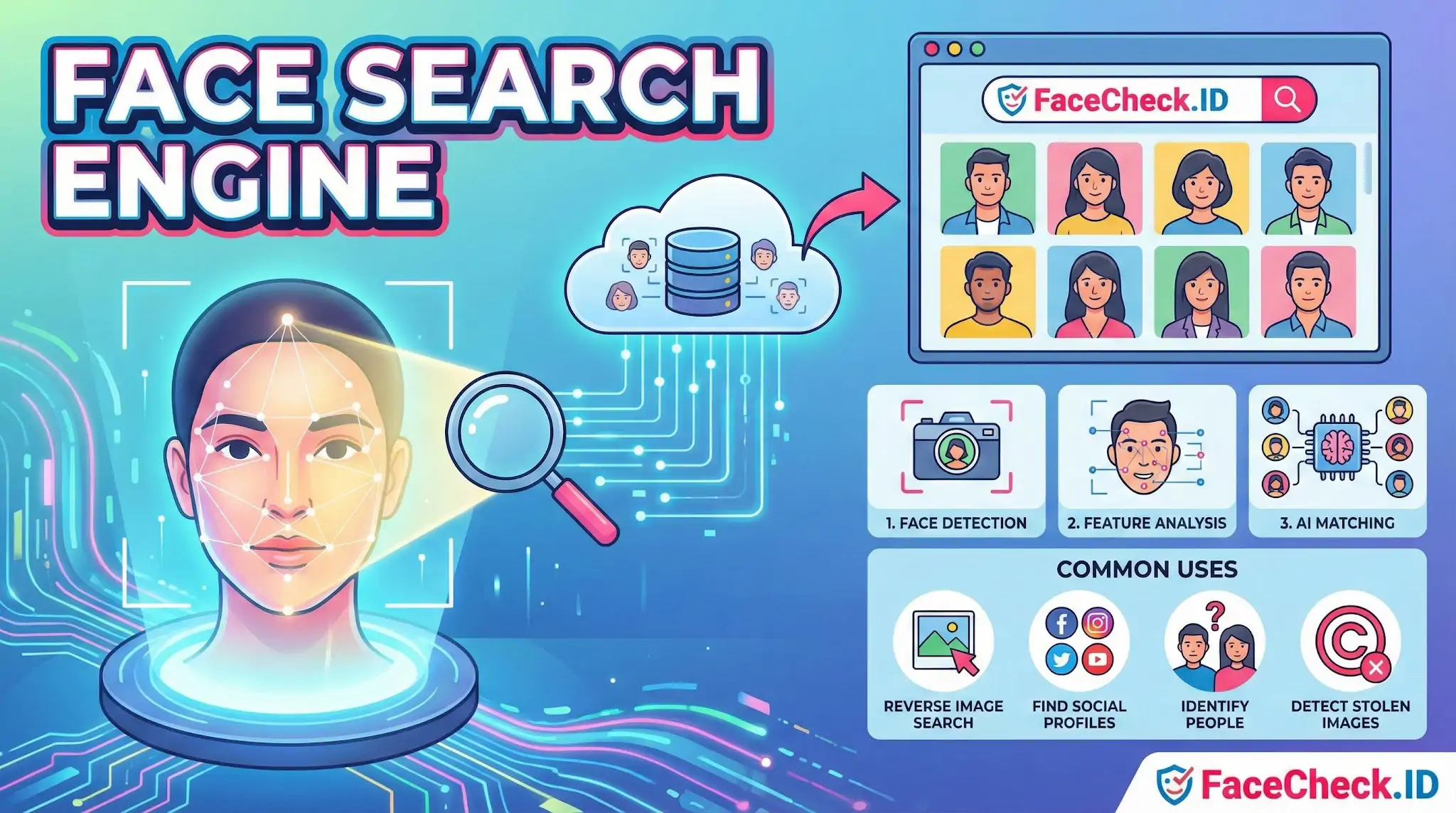
A Face Search Engine is a tool that uses facial recognition to find matching or similar faces across online images. Instead of searching by keywords, you upload a photo (or paste an image URL), and the engine compares the face in your image to faces found on the web.
How a face search engine works
- Face detection: The system locates a face within the uploaded image.
- Feature analysis: It measures facial landmarks like the distance between eyes, nose shape, jawline, and other unique patterns.
- AI matching: Machine learning models compare these features against large image databases or indexed web pages.
- Results: It returns visually similar faces, related images, and sometimes pages where those images appear.
Common uses
- Reverse image search by face to find where a photo appears online
- Find social media profiles linked to a photo (when publicly available)
- Identify people in photos such as public figures or actors
- Detect stolen or reused images for brand protection and online reputation
- Help investigations and missing person searches when used legally and ethically
Benefits
- Faster identification than manual browsing
- Useful for tracking image reuse across websites
- Can uncover additional photos of the same person from different sources
Limitations and concerns
- Accuracy varies based on image quality, lighting, angle, and age differences
- False matches can happen, so results should be verified
- Privacy laws apply in many regions, and consent requirements can be strict
- Ethical use matters, especially when searching for private individuals
Related term
A face search engine is often described as a form of reverse image search, but it is more focused because it specifically matches faces, not general visual similarity.
FAQ
How does a face search engine convert a photo into something it can search?
Most face search engines detect the face in the image, align it (e.g., normalize pose/scale), and convert it into a numeric “face embedding” (sometimes called a faceprint). The engine then searches for embeddings that are closest in similarity, rather than searching for identical pixels.
Can a face search engine still find matches if the person looks different (aging, hair changes, makeup, glasses)?
Often yes, within limits. Modern models are designed to be relatively robust to common appearance changes like different hairstyles, makeup, facial hair, glasses, and moderate age differences. Large changes (heavy filters, extreme lighting, major weight change, cosmetic surgery, or very old vs. very young photos) can reduce match quality.
Do face search engines work with group photos, and what is the best way to submit them?
Many face search engines can work with group photos, but results are usually better if you crop to a single, clear face. Use the highest-resolution crop you can, avoid heavy compression, and choose a frame where the target face is front-facing and not occluded by hair, hands, masks, or other people.
Why might a face search engine return no results even if the person is online?
No results can happen if the engine’s indexed sources don’t include the pages where that person’s photos appear, if the photos are behind logins or blocked from crawling, or if the available images are too low-quality or heavily edited. It can also occur when the uploaded photo has poor lighting, extreme angles, motion blur, or partial occlusion.
How should I interpret similarity scores or match strength in a face search engine (e.g., FaceCheck.ID)?
Similarity scores (or match strength labels) indicate how close the facial embedding is to a result, not proof of identity. Treat higher scores as stronger leads, then confirm by checking multiple photos, consistent facial features (ears, nose shape, scars, moles), and reliable context on the source page. When in doubt, assume uncertainty—especially for lower-score matches or when results look like close look-alikes.


Recommended Posts Related to face search engine
-
The 4 Simple Steps To Find Someone Using Face Search Engine
With the release of FaceCheck.ID new face search engine, people are wondering how this technology works and what implications it may have. A face search engine is a powerful tool that can be used to find almost anyone online. What is a face search engine?
-
Uncover the Truth Before Your First Date
How a Face Search Engine Can Save You from Scammers and Sex Offenders in Online Dating. One such precaution is using a face search engine to vet your date and avoid potentially dangerous situations with scammers or sex offenders. Advantages of Using a Face Search Engine.
-
Instagram Image Search to Find Instagram Profile by Photo using Face Search Engine
We'll show you how to use a face search engine to do an Instagram image search and find an Instagram profile by photo. Even so, if the profile is not private you may be able to find the profile using a 3rd party face search engine FaceCheck.ID. This is also known as a face search engine.
-
Find OnlyFans Profile by Photo using Face Search Engine
With a new reverse image search tool called FaceCheck.ID face search engine, you can now find an OnlyFans profile by photo using the power of facial recognition. However, there is a 3rd party tool called FaceCheck.ID face search engine that can search OnlyFans and other social media websites. This may take a few moments since the facial search engine is searching millions of OnlyFans profile pics and posts for your person of interest.
-
Find Twitter Profiles by Photo using Search by Face Engine
This can be done with the help of a face search engine called FaceCheck.ID. However, you can use a 3rd party face search engine FaceCheck.ID to search for Twitter profiles by image. But with Face Search Engine, you can effortlessly search for Twitter profiles by photo.
-
Image Search to Find Facebook Profiles by Photo using Face Search Engine
The short answer is: Yes, you can find a person's profile on Facebook given just a photo with a 3rd party face search engine called FaceCheck.ID. No, the Facebook app does not have a face search engine. FaceCheck.ID is a reverse image face search engine that can help you find someone's Facebook profile by searching through Facebook photos.
-
How to Search Arrest Records and Mugshots by a Photo of a Person
With FaceCheck.ID you can upload a photo of a person's face, and our reverse face search engine will scour the darkest corners of the Internet for matching mugshots, arrests, and criminals featured in the news. FaceCheck facial search engine allows you to upload a picture of the person's face, which can be helpful if you don't know their name. FaceCheck face search engine website specializes in finding people by face photo.
-
Top 4 Benefits of Facial Recognition in Online Dating with FaceCheck.ID
With its advanced technology, FaceCheck.ID face search engine is helping to increase the confidence and safety of online daters everywhere. Using FaceCheck.ID face search engine can also help build trust and lead to deeper connections between online daters. In short, FaceCheck.ID facial search engine helps build trust and leads to deeper connections between online daters and allowing users to be open and honest with them and increasing the likelihood of forming genuine connections with potential partners.
-
Searching Instagram by Photo: A Guide to Finding People and Accounts
While Instagram itself does not provide a built-in reverse image search feature, FaceCheck.ID is the only facial search engine built specifically for searching Instagram. By uploading a photo of the person, the facial search engine will scan Instagram profiles to find a match, making it one of the most effective tools for locating someone on the platform. This unique facial search engine can scan Instagram profiles to find a match, potentially leading you to their primary or even secondary accounts.
-
How to Use Reverse Image Search to Find LinkedIn Profiles by a Photo
In this article, we will guide you through the process and recommend the best facial search engine for your needs. Why FaceCheck.ID is the Best Facial Search Engine for LinkedIn.
-
PimEyes Review: Is It Worth the Price in 2026?
PimEyes is a face search engine built on facial recognition technology. If someone has very few public photos online, no face search engine will find them. No face search engine finds everyone.
-
Leveraging Facial Recognition Technology to Combat Human Trafficking
Facial recognition software, such as FaceCheck.ID's facial search engine, plays a critical role in these investigations by analyzing facial features and comparing them with social media profiles, escort workers, and wanted criminals. By leveraging tools like FaceCheck.ID's facial search engine, investigators can navigate the complexities of the dark web and other challenging online environments, identifying and linking traffickers and their activities.
-
Tutorial: Reverse Image Search for Instagram
The Need for a Dedicated Face Search Engine for Instagram. Here's why a dedicated face search engine for Instagram is more than just a luxury:.
-
LinkedIn Reverse Image Search to Find LinkedIn Profiles by Photo Using Facial Recognition
With the new face search engine FaceCheck.ID, you can search for LinkedIn profiles by photo using the latest facial recognition technology.
-
Best Facial Recognition Search Engines (2026)
When you upload a photo to a real face search engine, three things happen:. As a rule of thumb: if you can make out the person's general facial features, a face search engine probably can too.
-
How to Find Someone Online
If you're trying to find a specific person, and you have their picture, FaceCheck is the best face search engine to find someone by photo.
-
What is The Most Accurate Reverse Image Search?
PimEyes: As per the information gathered, PimEyes is an online face search engine that scans the internet to find pictures containing given faces.
-
Find YouTubers by Photo using Facial Recognition
YouTube Reverse Image Search FaceCheck.ID is a new face search engine that allows you to search for YouTubers by photo. That means you can now find a YouTuber by photo using the face search engine FaceCheck.ID. FaceCheck.ID Face Search Engine.
-
TinEye Review: What It Does Well and Where It Falls Short
FaceCheck.id is a dedicated face search engine that uses real facial recognition technology. Another face search engine with good accuracy but expensive subscription pricing ($16-30/month). For that, you need a face search engine like FaceCheck.id that uses facial recognition technology to match faces across different photos.
-
How to Reverse Face Search: Find Anyone by Photo (2026)
PimEyes is another face search engine that works. Anyone can upload a photo to a face search engine and potentially find your profiles.